Saving and Loading Files
Save Optiland systems as human-readable JSON and restore them later.
Introduction
This tutorial shows the minimal workflow for serializing an Optiland optical system to disk and restoring it later. The saved file is a readable JSON document, which makes it convenient for versioning, sharing, and reproducible examples.
The example uses the built-in UVReflectingMicroscope sample so you can compare the system before and after reloading.
Core concepts used
Step-by-step walkthrough
Set up and preview the sample microscope
Import the save/load utilities and a built-in optical system, then instantiate and draw it to establish a visual baseline before serialization.
from optiland.fileio import load_optiland_file, save_optiland_file
from optiland.samples.microscopes import UVReflectingMicroscope

system = UVReflectingMicroscope()
_ = system.draw()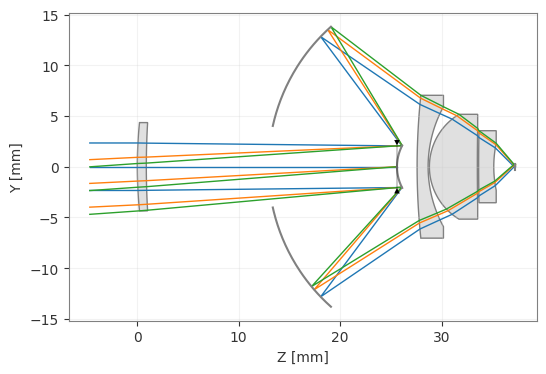
Save the system as JSON
Write the full optical model to a human-readable JSON file.
save_optiland_file(system, "uv_reflecting_microscope.json")Reload and verify the saved system
Reconstruct the optical system from the saved JSON file, then draw it to confirm the reloaded model is identical to the original.
new_system = load_optiland_file("uv_reflecting_microscope.json")
_ = new_system.draw()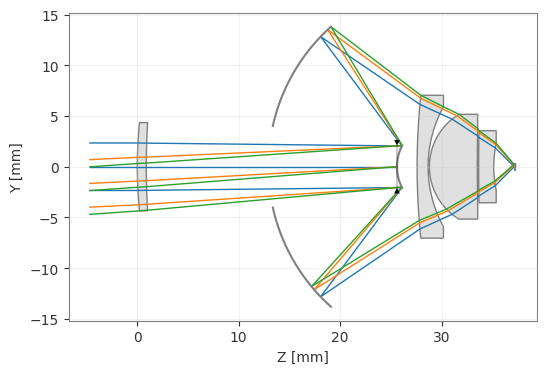
Full code listing
Show full code listing
from optiland.fileio import load_optiland_file, save_optiland_file
from optiland.samples.microscopes import UVReflectingMicroscope

system = UVReflectingMicroscope()
_ = system.draw()

save_optiland_file(system, "uv_reflecting_microscope.json")

new_system = load_optiland_file("uv_reflecting_microscope.json")
_ = new_system.draw()
Conclusions
Saving Optiland models as JSON gives you a lightweight way to archive, exchange, and reload systems without rebuilding them manually. This is especially useful for tutorial assets, regression examples, and collaborative design work.
Next tutorials
Original notebook: Tutorial_1c_Save_and_Load_Files.ipynb on GitHub