Edmund Optics Catalogue
Browse and import ready-to-buy commercial lenses into your system.
Introduction
This tutorial shows how to retrieve optical components from the Edmund Optics lens catalogue. In particular, we cover:
- How to open Zemax files in Optiland
- How to retrieve and analyze an aspheric lens from the Edmund Optics catalogue
Optiland uses the function load_zemax_file to load a Zemax (.zmx) files into the Optiland format. The function accepts either a file directly or a URL link to the file. If a URL is provided, Optiland downloads the file prior to extracting the lens data.
Core concepts used
Step-by-step build
Import Analysis Tools
from optiland import analysis
from optiland.fileio import load_zemax_fileLoad the Zemax File
File retrieval
For this example, we will use a 15 mm Dia., 0.33 Numerical Aperture Uncoated, Aspheric Lens. We pass the filename of the downloaded .zmx file to our load_zemax_file function:
filename = "zmax_47728.zmx"  # downloaded from link above
lens = load_zemax_file(filename)Draw the Imported Lens
The function directly returns an instance of an Optiland Optic class. We can draw the lens as shown.
lens.draw()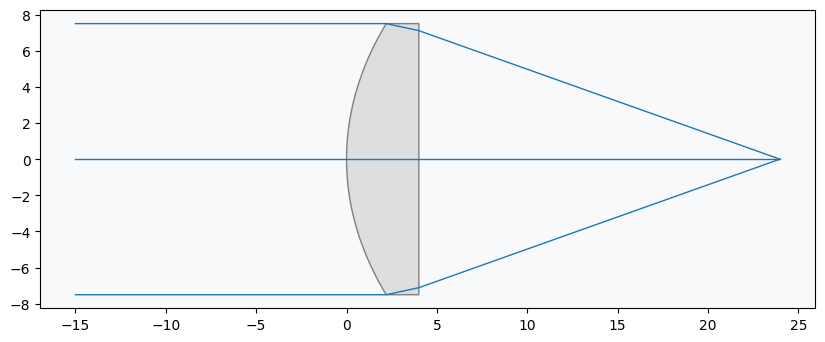
Inspect Lens Data
We also print an overview of the lens data. This currently excludes the aspheric coefficients.
lens.info()Generate Spot Diagram
Lens Analysis
To assess performance, we generate a spot diagram and the ray aberration fans:
spot = analysis.SpotDiagram(lens)
spot.view()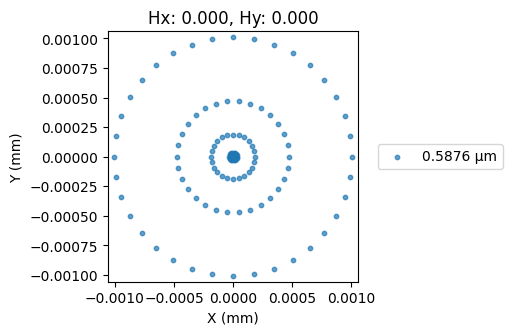
Plot Ray Aberration Fans
fan = analysis.RayFan(lens)
fan.view()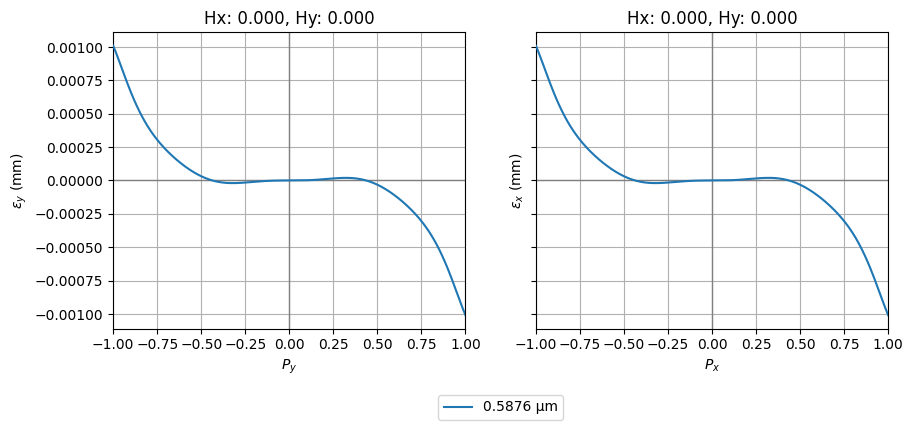
Show full code listing
from optiland import analysis
from optiland.fileio import load_zemax_file

filename = "zmax_47728.zmx"  # downloaded from link above
lens = load_zemax_file(filename)

lens.draw()

lens.info()

spot = analysis.SpotDiagram(lens)
spot.view()

fan = analysis.RayFan(lens)
fan.view()
Conclusions
- This tutorial showed how to retrieve and analyze an Edmund Optics catalogue lens.
- The load_zemax_file function does not currently support all Zemax surface types and may fail to convert a lens into an Optiland Optic instance in some cases. Users are encouraged to create an issue on the GitHub page if an error occurs.
Next tutorials
Original notebook: Tutorial_9a_Edmund_Optics_Catalogue.ipynb on GitHub · ReadTheDocs